Password Managers for Beginners: How to Start Without Losing Access
A practical beginner's guide to setting up a password manager, choosing a master password you won't...

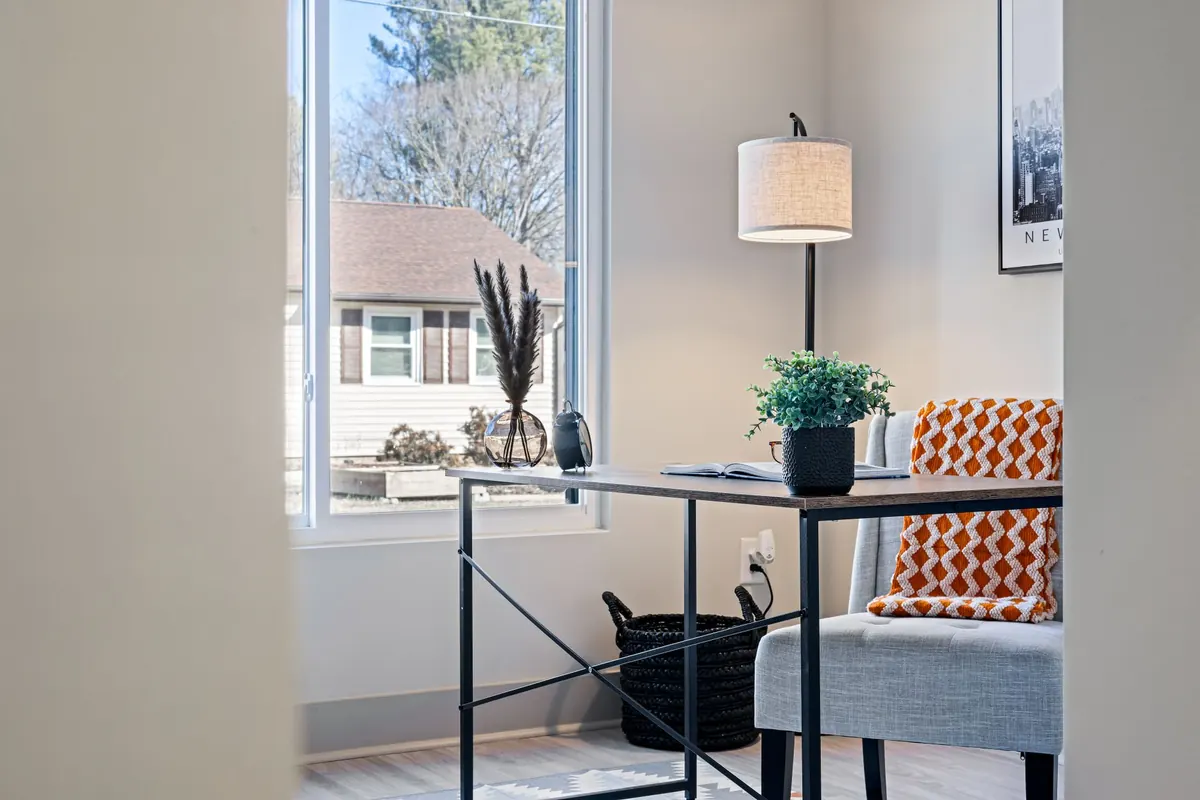
A blank corner in a rental apartment can hold a genuinely good workstation: a monitor at eye level, a keyboard that isn't sliding off your lap, and cables that disappear instead of draping across the floor. The catch is that you can't put holes in the wall, and the deposit is watching. So the whole build has to be reversible. That changes a few real decisions — which mount goes where, how much weight each one carries, and how you run power and data without a single screw.
None of it is complicated. It just has to be done in the right order, with a bit of patience for adhesive to cure.
Stand in the space for a minute and note four things: where the nearest outlet is, how much light comes in, where the radiator or heater sits, and how far the door swings. A corner near a window looks inviting until afternoon glare hits the screen and heat softens every adhesive strip you've stuck to the wall.
Measure the usable desk depth, not just the width. In a corner, depth is what determines whether you can push an arm's length away from the monitor. Fifteen inches of depth and a wide desk beats a narrow desk that's six feet long. Also check that the outlet reaches your planned power strip on a single cord — dragging an extension across a doorway creates a trip hazard you'll resent within a week.
Adhesive is stronger than most people assume and fussier than most people expect. It fails for predictable reasons, and almost all of them are about the surface underneath.
Smooth, clean, fully cured surfaces: painted drywall that's been painted for at least a week, glass, tile, laminate, sealed wood, metal. Wipe the spot with isopropyl alcohol, let it dry completely, press the strip or tape firmly for a full 30 seconds, and then leave it alone. An hour is the minimum before loading. Overnight is much better.
Textured plaster, wallpaper, unpainted brick, dusty or greasy walls, and anything above a radiator or in direct summer sun. Heat is the main enemy of pressure-sensitive adhesive — it doesn't need to be hot, just consistently warm.
Weight ratings assume an ideal surface and a straight pull. Treat the number on the package as a ceiling, not a target, and stay well underneath it. Leverage matters too: weight hanging at the end of a long hook pulls far harder than the same weight pressed flat against the wall.
Types worth keeping on hand:
A 24- to 27-inch monitor on a weighted base or a desk-clamp arm takes up far less visual space than a smaller monitor on a bulky stand. Clamp arms need roughly an inch or two of flat desk edge and don't like tapered, beveled, or glass tops — check yours before buying.
For the computer itself, a mini PC tucked behind the monitor or stuck under the desk with foam tape keeps the surface clean. A laptop on a small riser works too, especially with a single-cable dock so you're not plugging in four things every morning. Wireless keyboard and mouse cut two cables immediately. A slim soundbar or a pair of compact speakers under the monitor handles audio without a subwoofer taking up floor space.
The guiding rule: everything you touch daily sits within arm's reach, and everything you don't sits hidden.
Use velcro ties, not zip ties. You'll rearrange things eventually, and zip ties make that a cutting job. Clip or tie cables every six to eight inches so nothing sags into view, and leave a small service loop at each end so a cable isn't pulled taut when you move the monitor.
For a visible run down a wall or along a desk leg, adhesive-backed raceway channels the cable and looks deliberate. Under the desk, a shallow tray holds the slack. Keep cords out of walkways; if one has to cross an open floor area, use a rubber cord cover, and don't run anything under a rug where foot traffic can crush it. Label both ends of every cable with a small piece of tape — future you will be grateful.
One surge protector, mounted under the desk with adhesive or clips, handles almost any small setup. Use a model with a low-profile flat plug so the cord hugs the wall. Don't daisy-chain strips into other strips, and don't plug a space heater into the same strip as your computer. Keep the strip off the floor and away from where drinks get set down.
If you need a new outlet, additional circuits, or any actual wiring, that's a licensed electrician's work — and most leases require landlord approval for it anyway. Plugging in a few devices is not the same as modifying the electrical system.
Sequence matters more than gear. Adhesive needs time, and cables need to know where the hardware landed.
Press each mount with your thumb every month or so, especially in summer. If a strip starts to lift at one corner, take it down and start fresh — adding more tape on top of a failing bond just delays the crash.
Removal is the part renters care about most. Pull the tab slowly and parallel to the wall, not outward. For foam tape, warm it gently with a hair dryer on low, then work dental floss or fishing line behind it and saw through the adhesive. Clean residue with rubbing alcohol or a citrus adhesive remover, testing on a hidden spot first. A little touch-up paint covers the rest.
One last thing worth doing before you stick anything up: read your lease. Adhesive doesn't leave holes, but many agreements still ask for permission before anything touches the walls. A one-line message to your landlord is cheaper than an argument at move-out.
Photo: Curtis Adams / Pexels
A practical beginner's guide to setting up a password manager, choosing a master password you won't...
Cold slows the chemistry inside lithium-ion cells, so your phone misreads its own charge and shuts down...
Budget active noise cancellation handles train rumble and bus drone surprisingly well, but comfort, call...